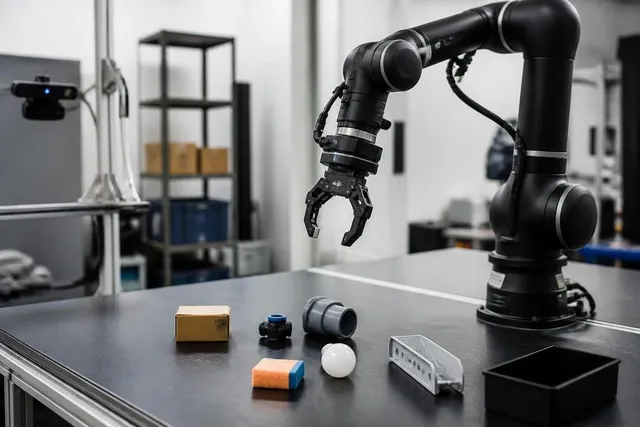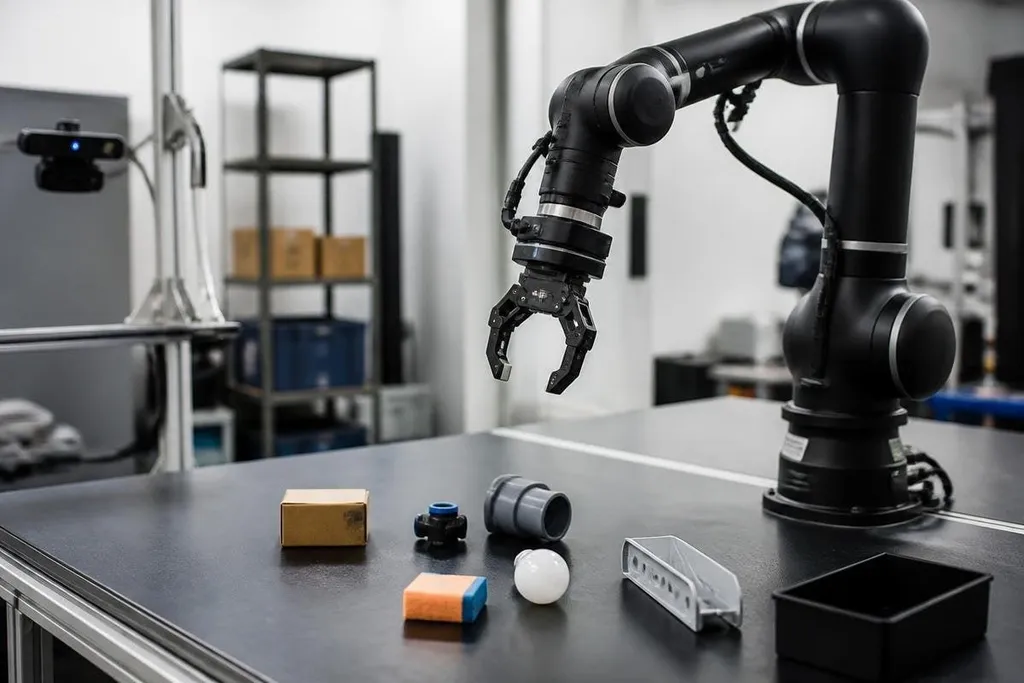
A robot arm can move to a known point with little trouble. Picking up an unknown object is harder because the arm must see it, choose a grip, move around obstacles, and feel whether the grip worked.
A learning system links those jobs. It uses sensor data, movement commands, and the result of each attempt to improve its next pick.
Quick read
- Cameras locate the object and estimate its shape.
- Motion software picks a grip and checks the arm’s reach.
- Trial data helps the system handle changes in object position and contact.
Seeing the object
The process starts with a camera or another sensor. The system turns that input into useful details: where the object is, how large it appears, which surfaces are visible, and where a gripper might make contact.
A camera image can show a box on a table, but it may not show the box’s full shape. One side could be blocked by another object. Lighting can also change the image, so the same item may look different from one attempt to the next.
Many systems use object detection to mark the item in an image. They may then estimate its pose, which means its position and angle in space. Depth cameras help by adding distance data, so the arm can judge whether the object is near the front of the table or farther back.
Errors remain possible. A small mistake in the estimated position can put the fingers beside the object instead of around it. That is why a picking system needs feedback after the arm starts moving.
Choosing and reaching for a grip
Once the system has a rough view of the object, it tests possible grasp points. A grasp planner checks the finger angle, the available contact area, the object’s weight, and the arm’s range of motion.
The planner also checks inverse kinematics. This is the calculation that turns a desired hand position into joint angles for the arm. If the wrist can reach the object but one joint would hit its limit, the system needs another route or another grip.
The arm then moves along a planned path. It slows near the object, closes the gripper, and checks signals from motor sensors or force sensors.
Those signals help it tell the difference between a secure hold and fingers closing on empty air. A good grip can still fail after the lift begins. A smooth object may slide, or a thin item may bend.
The system can respond by lowering the arm, changing the finger force, or trying a new grasp point, depending on the controls built into the machine.
A grasp that works once still leaves a factory buyer asking if the arm can repeat it across many objects and shifts. Robot24.com robotics reporting adds named machines and test settings before the next section shows how each trial changes the next pick.
How trial data changes the next pick
Learning enters when the system uses past attempts to change later actions. A successful pick adds evidence about useful camera views, grip positions, closing force, and arm paths. A failed pick can show that the object was misread or that the fingers contacted the wrong surface.
Some systems learn in simulation first. A virtual arm can repeat a task many times without wearing out motors or breaking objects. The system then needs to handle the gap between simulation and a physical arm, where cameras have noise, parts flex, and surfaces behave differently.
Other systems learn from demonstrations. A person guides the arm through a movement, and the system records the hand path and gripper action. That example can help with a narrow task, but it may not cover a new object, a blocked view, or a crowded bin.
The safest systems keep rules around the learning process. Speed limits, joint limits, collision checks, and force limits can stop a poor command before it harms the arm, the object, or a nearby worker. Learning changes the choice of movement; it doesn't remove the need for controls.
Where the method still fails
Picking works best when the object set, lighting, table height, and gripper stay close to the training conditions. A new package or a partly hidden item can push the system outside those conditions.
The difficult cases are often ordinary ones: soft bags that change shape, clear plastic that cameras struggle to see, objects pressed tightly together, and items with little space for the fingers. A person can adjust after one glance, while the arm may need a new view or several failed attempts.
I'd judge a picking system by its failure handling, not by one clean demonstration. The useful question is how often it recovers, how long recovery takes, and whether a person must step in.
A practical check before choosing a system
Use these points when you compare a picking setup for a work cell:
- List the objects: record their size, weight, surface, and range of shapes.
- Check the view: test blocked items, glare, shadows, and changing light.
- Measure the grip: see whether the fingers can reach safe contact points.
- Watch recovery: count failed picks that the arm fixes without human help.
- Set safe limits: confirm force, speed, joint, and collision controls.
- Record the work rate: include time spent on retries, camera checks, and human intervention.
A robot arm learns to pick through a loop of seeing, planning, touching, lifting, and checking the result. The open question for each work cell is how much change that loop can handle before a person has to take over.